

Take it for a drive, KLCC to Ipoh.
A navigation app with a clearer turn card, stops along your route and a quieter map. Routes and live traffic from Google, built for Malaysia.
Scroll down to drive. The map is drawn for this page.Scroll down to follow the drive. The map is drawn for this page.
The turn, the lane, then the next turn.
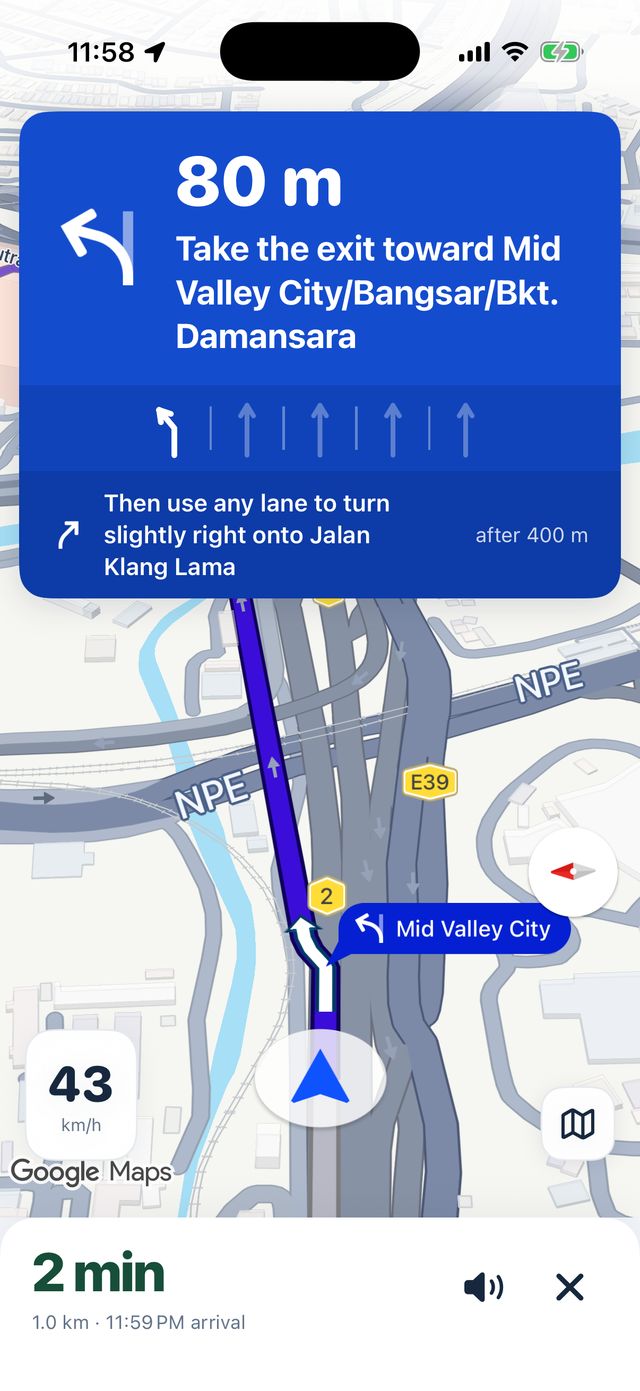
A big card shows how far to go, what to do and which lanes to use, straight from Google's lane data. If another turn comes up within 500 m, it's on the card too, so a quick right-then-left off Jalan Ampang doesn't catch you out.
- Turn and distanceBig, rounded, and the road name isn't repeated.
- LanesRecommended lanes solid, the rest faint. Shown when Google has lane data for that junction.
- ThenThe turn after this one, only if it's within 500 m.
A map with less on it.
Most shop icons, bus stops and business labels are switched off. Road names and rail stations stay. While you drive, you see your route, not red and green on every street around you. Arrival time still accounts for live traffic.
Drawn on the map here for comparison, then switched off again.
Find the R&R before you need it.
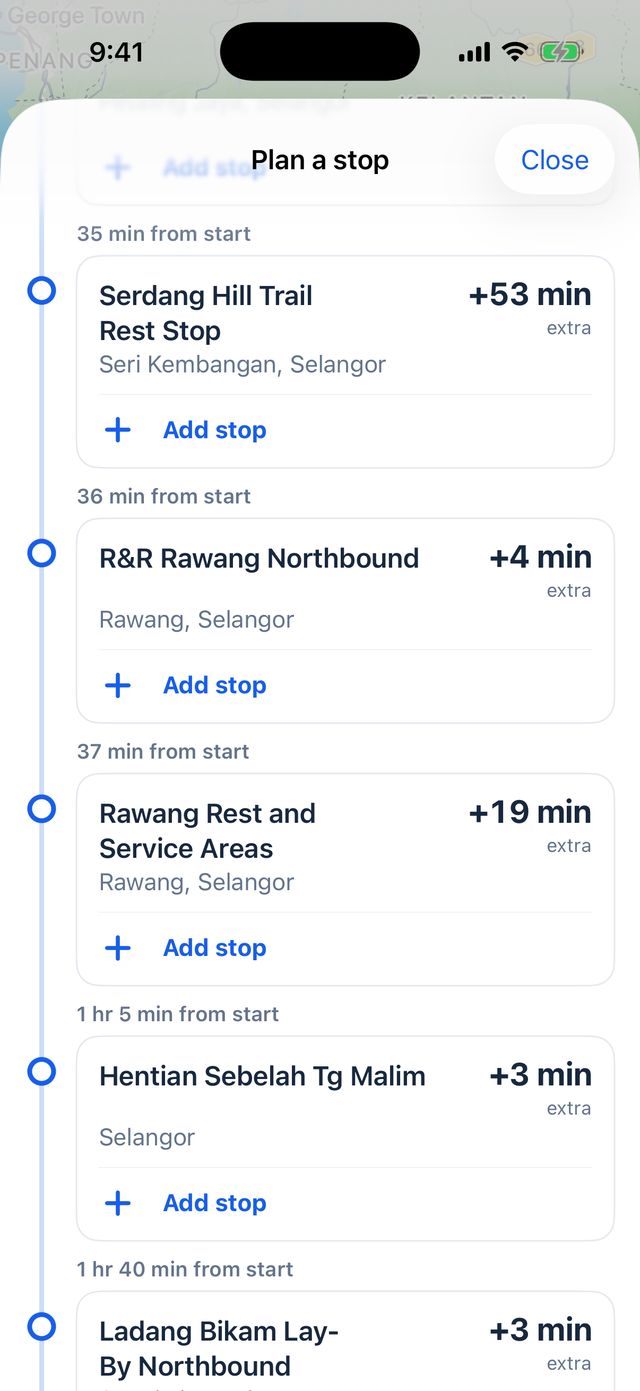
Heading up the North–South Expressway? Ask for rest areas, fuel, charging or food along your route. Each result shows how far it is from the start and how much extra driving it adds, so R&R Rawang Northbound at +4 min beats one twenty minutes out of your way. Add it in one tap; your final arrival time updates.
Check the entrance and travel direction before adding a stop.
- Start of route
-
36 min from start
R&R Rawang Northbound+4 minextraRawang, Selangor
-
1 hr 5 min from start
Hentian Sebelah Tg Malim+3 minextraSelangor
-
2 hr 23 min from start
R&R Simpang Pulai Northbound+6 minextraSimpang Pulai, Perak
- Ipoh Parade
Times start at your route's origin. Extra driving doesn't include time at the stop.
One stop per trip in this beta. Results come from Google. These three are from a real search toward Ipoh, which also returned places off the route, so check before you add one.
Home and Work, one tap away.
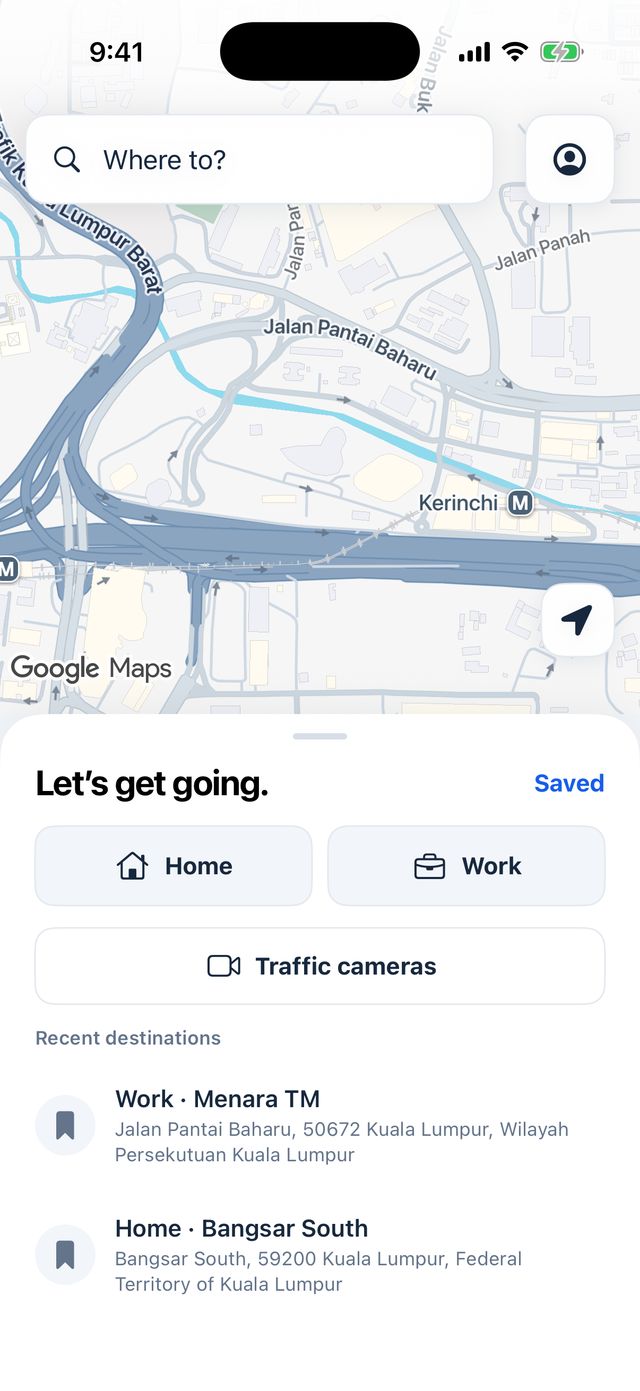
Save Home, Work or any place under your own label. Search shows how far each result is from you. Avoid tolls or highways if you'd rather.
Fastest route · toll prices not shown
Your drives don't end up with us.
The line behind the car disappears as you go. Google handles routing under its own privacy policy, and receives your location and route to guide you.
Sign in with Apple
There is no Better Tuju account server.
On your iPhone
Saved places and preferences live on your phone. No cloud sync.
Your speed, for you
Shown only to you. We don't collect driving analytics or location history.
No ads
No tracking across apps, no selling data.
Try it on your next drive.
Free to try now. The iPhone beta is invite-only: leave your email and we'll be in touch when there's a place. Android comes after; choose it below and we'll tell you when it's ready.
You’re on the list.
We'll email you if a place opens up in the iPhone beta.
The real app, today.
Screenshots from the current beta. Everything above was drawn for this page; in the app, the map, routes and traffic are Google's.
What's in the beta.
On the drive
- Turn-by-turn voice guidance
- The guidance card, with lanes and the next turn
- Live traffic, arrival times and rerouting
- A quiet map that shows your route, not every shop
Before you go
- Place search across Malaysia
- Stops along your route, by extra driving
- Highway camera snapshots
- Home, Work and your own saved places
- Sign in with Apple; saved places stay on your phone
Questions
What is Better Tuju?
A driving navigation app built for Malaysia, in beta on iPhone. It uses Google for maps, routes, live traffic and voice, and adds its own guidance card, a quieter map, stops along your route and a list of highway camera snapshots.
Which phones does it work on?
iPhone now, with iOS 17 or later. Android comes after the iPhone; we haven't set a date. There's no iPad or CarPlay version.
How do I get in?
Request an invite with your email. The iPhone beta is invite-only and we add testers a few at a time, so requesting doesn't guarantee a place straight away. If we invite you, the invite arrives by email through Apple's TestFlight. If you choose Android, we keep your email and tell you when the Android version is ready.
Does it cost anything?
It's free to try now.
Where does it work?
It's built for Malaysia: place search covers Malaysia only. Routing is Google's, so roads, traffic and arrival times are as good as Google's data for your area.
What happens to my data?
Your account is Sign in with Apple, kept in your iPhone's Keychain. Saved places and settings stay on the phone, and we don't run a server that stores them. We don't collect driving analytics or upload your speed. Google receives your location, searches and route to provide navigation, under its own privacy policy. Details: privacy policy.
Why use Google underneath?
Google has strong road and live-traffic data for Malaysia. Rather than build a worse map, Better Tuju uses Google Maps Platform for routing and traffic and spends its effort on how directions are shown to you.